How to Build Reading Comprehension and Gapped-Text Exercises
Last updated: 2026-07-06
A gapped text exercise generator saves you the two most tedious parts of building a Cambridge-style reading task by hand: writing a passage at the right level, and working out which sentences or paragraphs can be cleanly removed without breaking the flow. The Reading Comprehension task type in Writing, no kidding does both, and covers two related formats under one editor.
Two formats, one task type
Reading Comprehension has a subtype toggle:
- Comprehension Questions — a passage followed by questions (mostly 4-option multiple choice, with room for one or two open/short-answer questions), testing main idea, detail, inference, vocabulary-in-context, and the writer's purpose or tone.
- Parts Removed from Text — the Cambridge B2 First Reading Part 6 / C1 Advanced Part 7 style: paragraphs or sentences are pulled out of the passage and shown to students as a scrambled bank, and students place each one back into its correct numbered gap. This is Cambridge reading gapped text in its classic form, and it reuses the same tap-to-place mechanic as the Matching task type.
Both subtypes share the same passage-sourcing options, so switching between "reading comprehension gapped text B2 First" style Part 6/7 tasks and straightforward comprehension questions doesn't mean starting over.
Where the passage comes from
You choose how the passage is sourced:
- AI writes it — give a topic and AI drafts an original 250-450 word passage at your chosen CEFR level.
- Upload a document — a Word or PDF file. The text is extracted and used exactly as written; the AI does not rewrite it.
- Paste text directly — a textarea for pasting a passage you already have.
For Parts Removed from Text specifically, the gaps are chosen deterministically from the actual passage structure (not invented by AI), which guarantees the removed pieces are word-for-word identical to the source and the passage always reconstructs correctly.
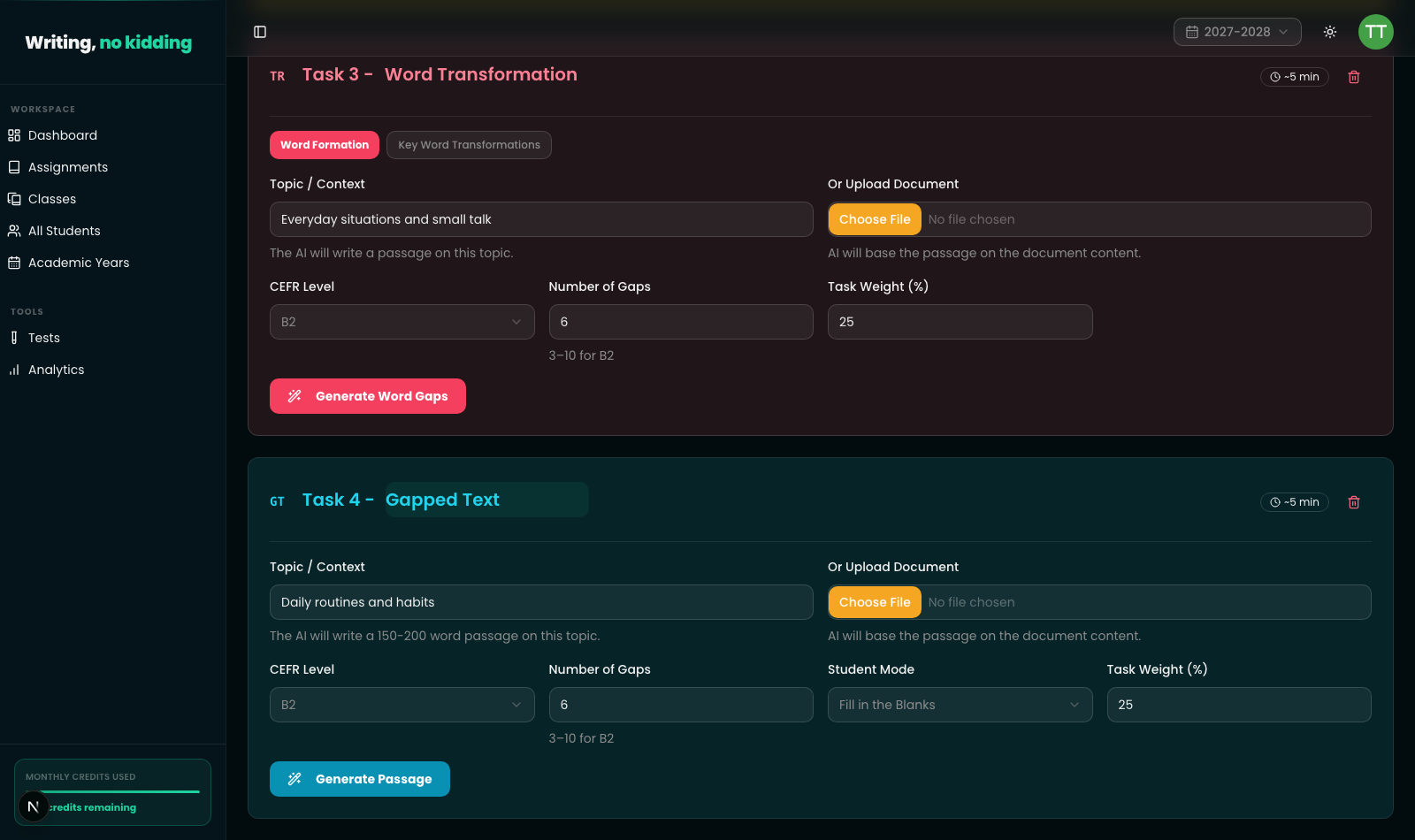
Screenshot below shows the task editor: Word Transformation task above it, and a Gapped Text task with a "Daily routines and habits" topic, CEFR level, number of gaps, Student Mode ("Fill in the Blanks"), and task weight fields, plus a Generate Passage button.
Grading
Both subtypes grade deterministically — no AI call needed at grading time. Comprehension multiple-choice questions are checked against the correct option; open questions use fuzzy matching similar to quiz short answers. Parts Removed from Text checks that each placed tile matches the gap's correct part exactly (after normalization).
Steps
- Open New Assignment and click Reading Comprehension.
- Choose the subtype: Comprehension Questions or Parts Removed from Text.
- Choose how to source the passage: AI writes the passage or Use my own text (upload a document or paste text).
- If AI is writing the passage, enter a topic and set the CEFR level.
- Set the number of questions (Comprehension Questions) or number of parts to remove (Parts Removed from Text).
- Click Generate Passage, then review the passage, questions, or gaps it produced.
- Set the task weight and save the assignment.
Related articles
Ready to try this in your own classroom?
Related articles
How to Create Matching Exercises
Build vocabulary, collocation, and functional-language matching exercises in the Cambridge exam style.
How to Create Word and Sentence Transformation Exercises
Build Cambridge B2 First-style key word transformation and sentence transformation exercises for Use of English practice.
How to Create an ESL Quiz
Build multiple-choice, short-answer, and fill-in-the-blank quizzes with AI-assisted question generation.